Work/04

Elevate

A UI refresh for an aging real estate CRM — and one shell for Aiva and TMS, the sibling products living inside it.

Project Type
Real Estate CRM
Year
2022
Role
Sr UX/UI Designer
Deliverables
UI Refresh
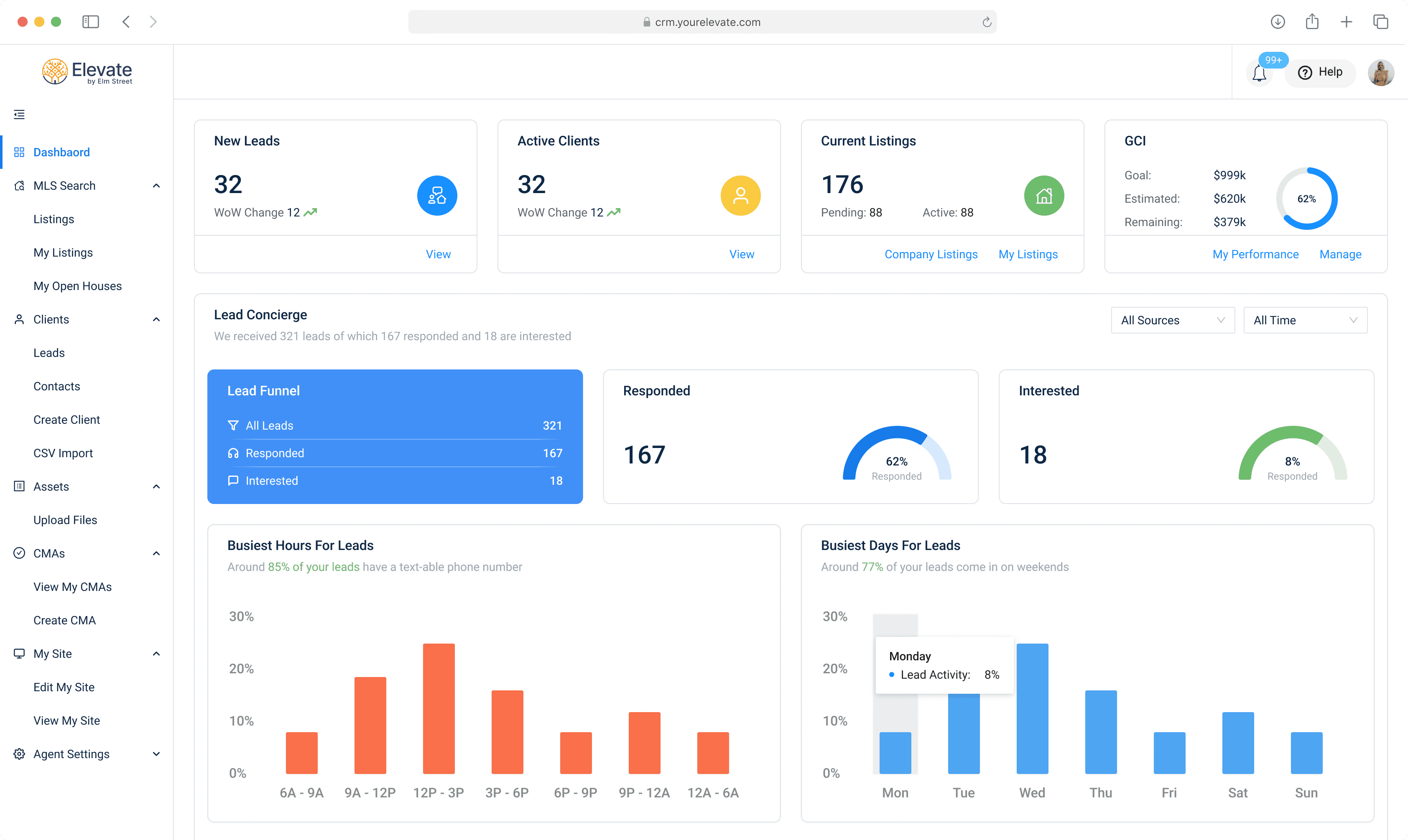
The redesigned Elevate dashboard: New Leads, Active Clients, Current Listings and GCI cards across the top, then a Lead Concierge section showing 321 leads, 167 responded and 18 interested, with busiest-hours and busiest-days charts below.Dashboard — Aiva leads, surfaced

The brief

01
Lead — AivaAiva responds. The refreshed dashboard shows the reply, not just a count.
02
Listing — ElevateThe drawer opens over search. CMA, remarks, history, notes.
03
Transaction — TMSThe same sheet, now holding TMS's contract, due diligence and closing dates.
Before — embedded Tableau
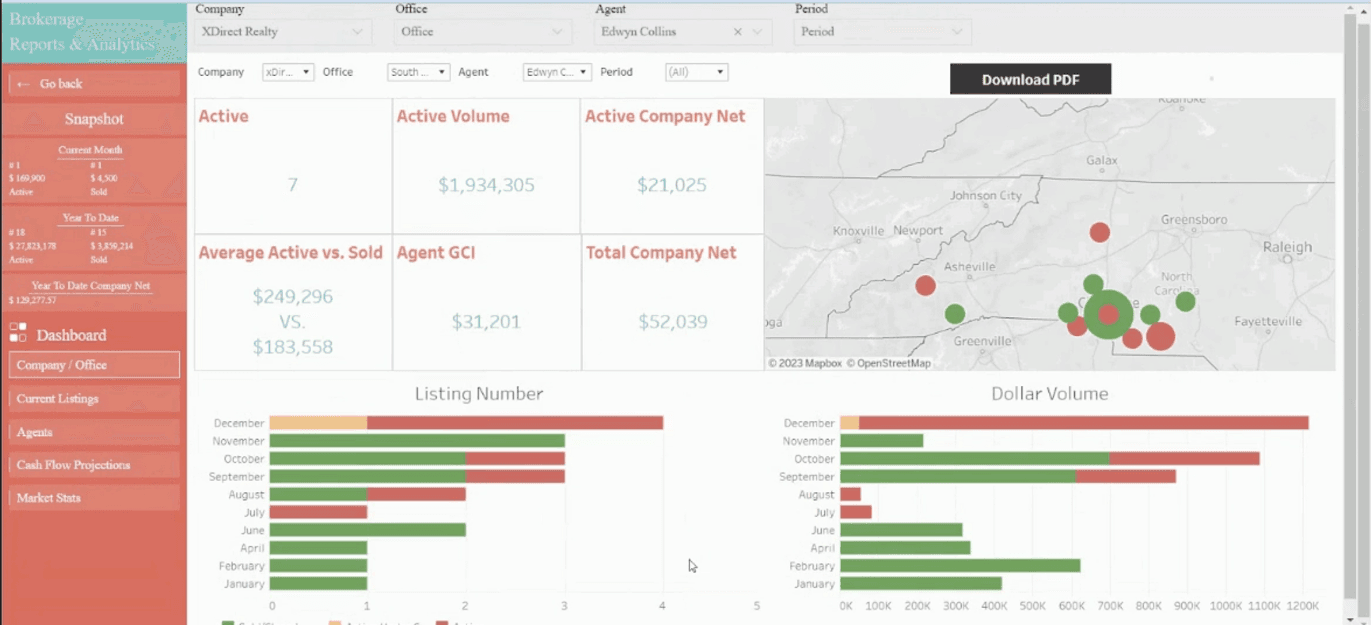
The legacy brokerage reports and analytics view: a red sidebar, duplicated company, office, agent and period filters, small red-on-white metric tiles, a grey bubble map and two stacked bar charts.
Before — TMS in Elevate's old shell
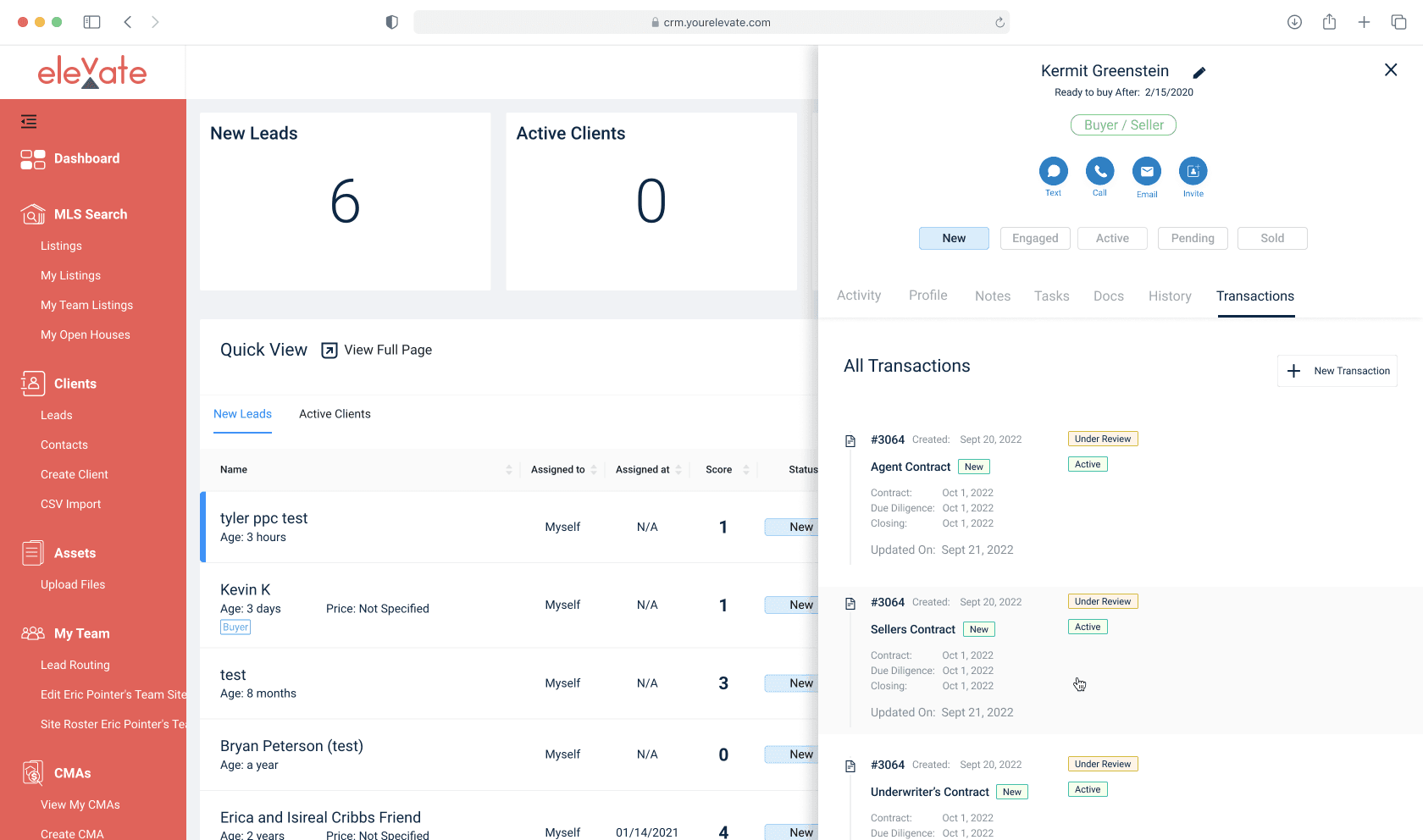
The legacy Elevate transaction side sheet on the old red theme, showing client Kermit Greenstein with a New, Engaged, Active, Pending, Sold pipeline, a Transactions tab, and three contract cards each listing contract, due diligence and closing dates.
The Elevate color ramp: blue, green, amber and red columns, each running from a near-white tint at the top through a saturated mid step to a near-black shade at the bottom.
Dashboard — shipped
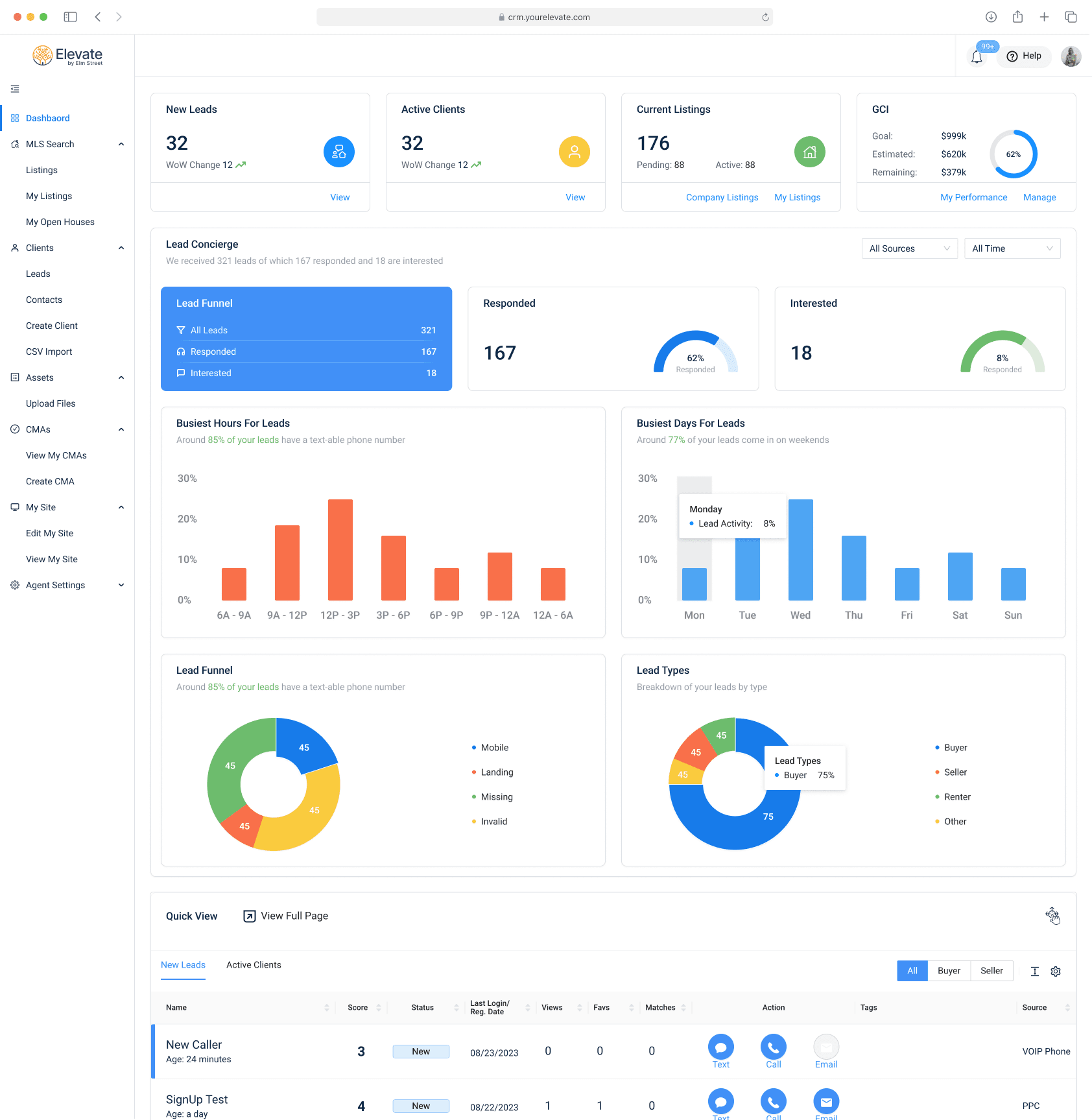
The full redesigned Elevate dashboard, from the New Leads, Active Clients, Current Listings and GCI cards down through the Lead Concierge funnel, the busiest hours and days charts, the lead funnel and lead type donuts, and the Quick View table of new leads.

Leads — Aiva

Aiva was already answering the leads. The dashboard just wasn't showing it.

Card states

Every card had to be designed three times, because a new agent and a top producer open the same screen.
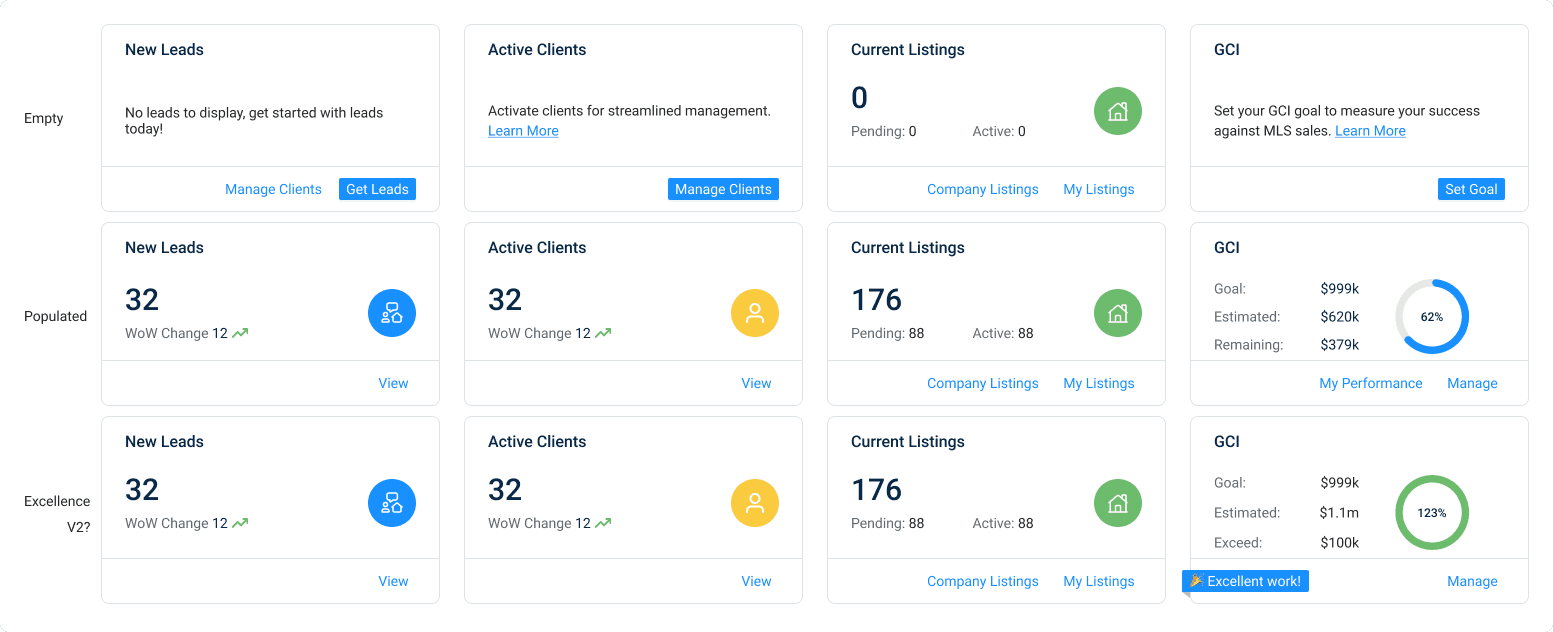
A matrix of the four dashboard KPI cards in three states. Empty shows prompts like No leads to display, get started with leads today and Set your GCI goal. Populated shows 32 new leads, 32 active clients, 176 listings and 62 percent of goal. Excellence shows the GCI ring in green at 123 percent with an Excellent work ribbon.
The second question

Knowing how many leads arrived is trivia. Knowing when they arrive is a schedule.

Chart components
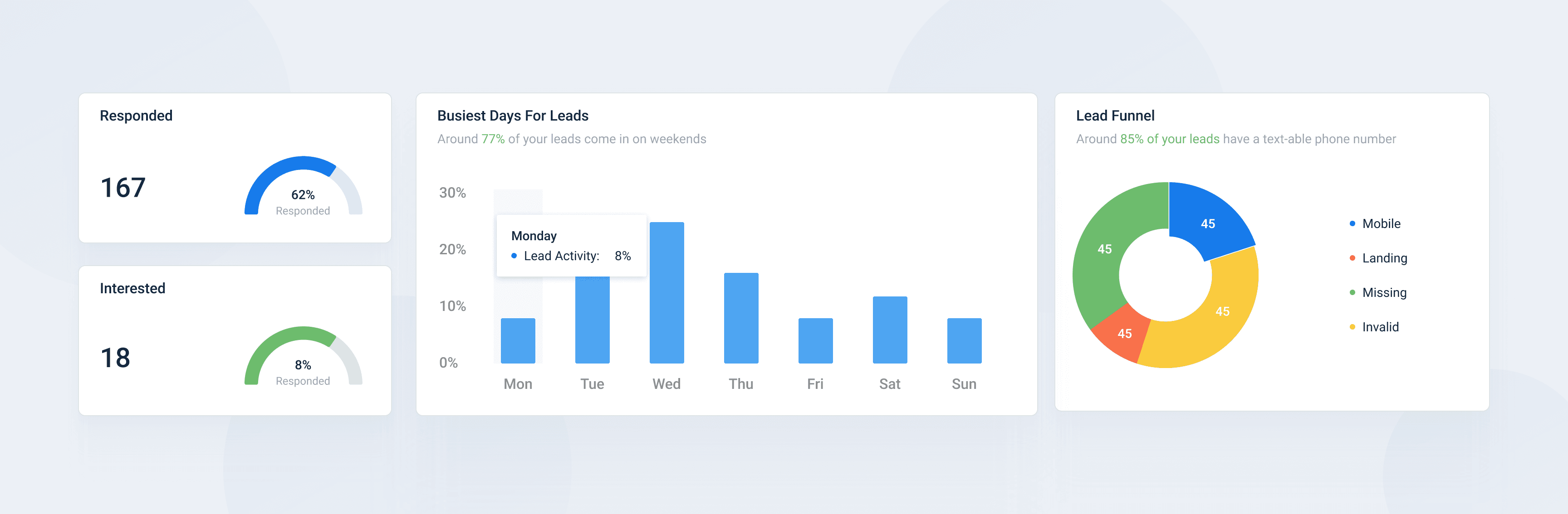
Three chart components on a light ground: a Responded gauge card reading 167 at 62 percent, a Busiest Days For Leads bar chart with a Monday tooltip showing 8 percent lead activity, and a Lead Funnel donut broken into mobile, landing, missing and invalid.
Component set
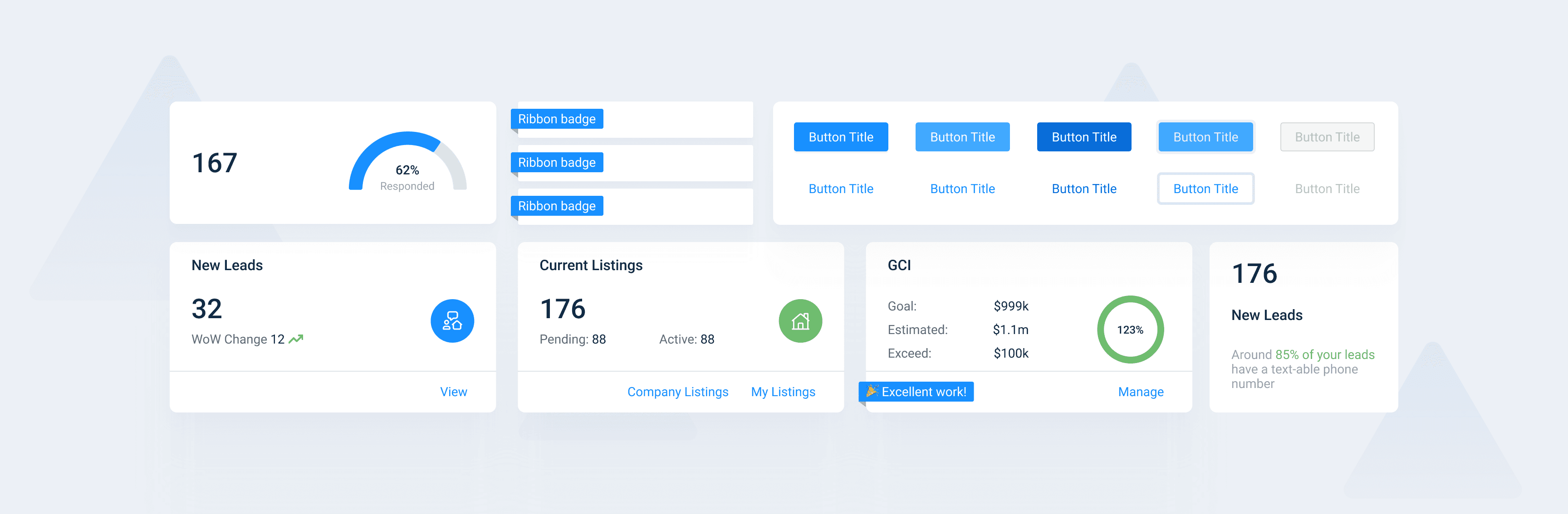
The Elevate component sheet: a gauge card, three ribbon badge variants, a button matrix of five fill treatments each paired with a link and outline variant including a disabled state, and four KPI card layouts covering New Leads, Current Listings, GCI at 123 percent with an Excellent work ribbon, and a stat card with an insight sentence.

Opening a listing shouldn't cost you the map.

Listing drawer — desktop
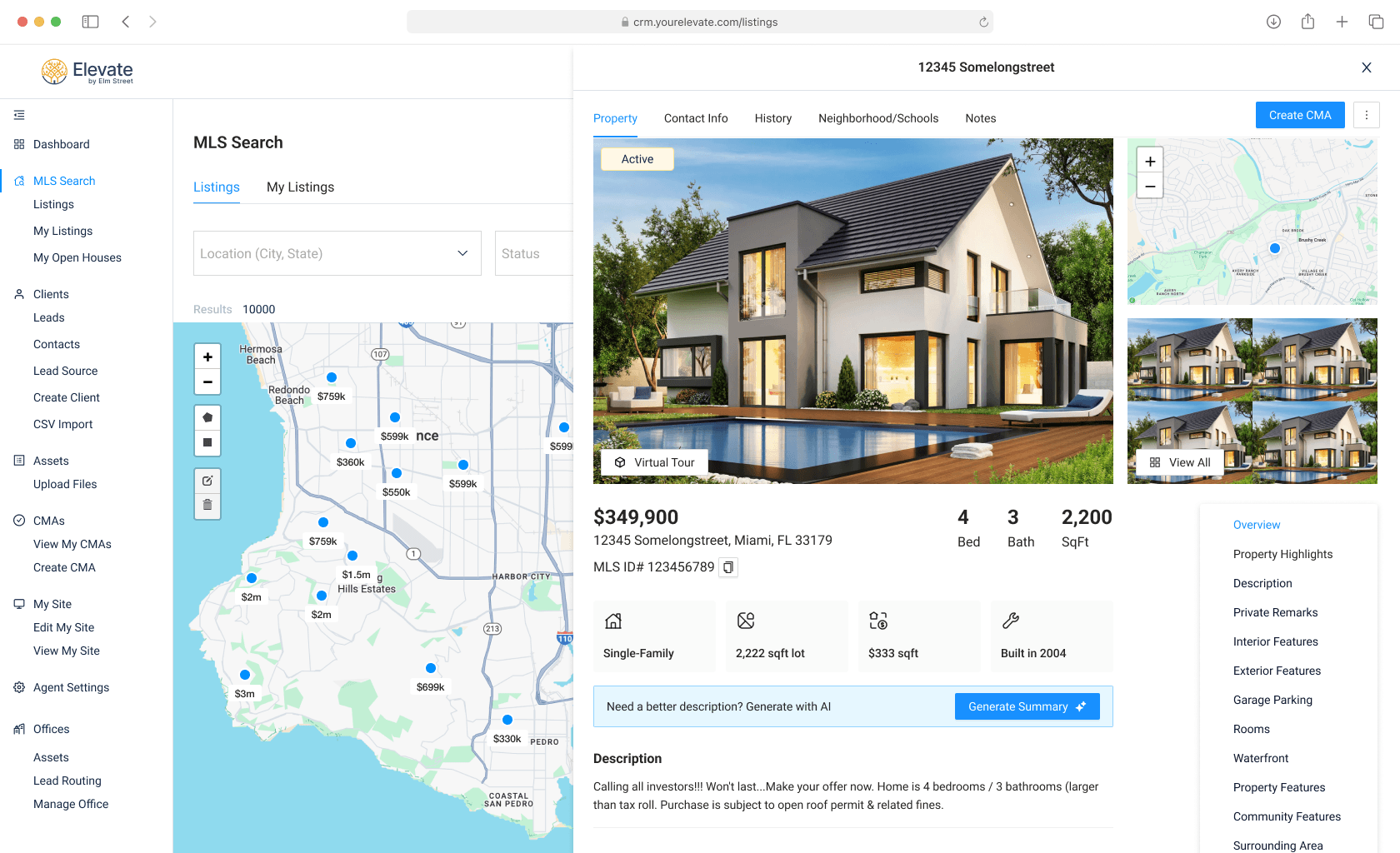
The Elevate MLS search screen with a listing drawer open over it. The drawer shows 12345 Somelongstreet with Property, Contact Info, History, Neighborhood/Schools and Notes tabs, a hero photo marked Active, a Create CMA button, price and bed-bath-sqft figures, a Generate Summary with AI prompt, and a section jump list on the right.
Listing drawer — mobile
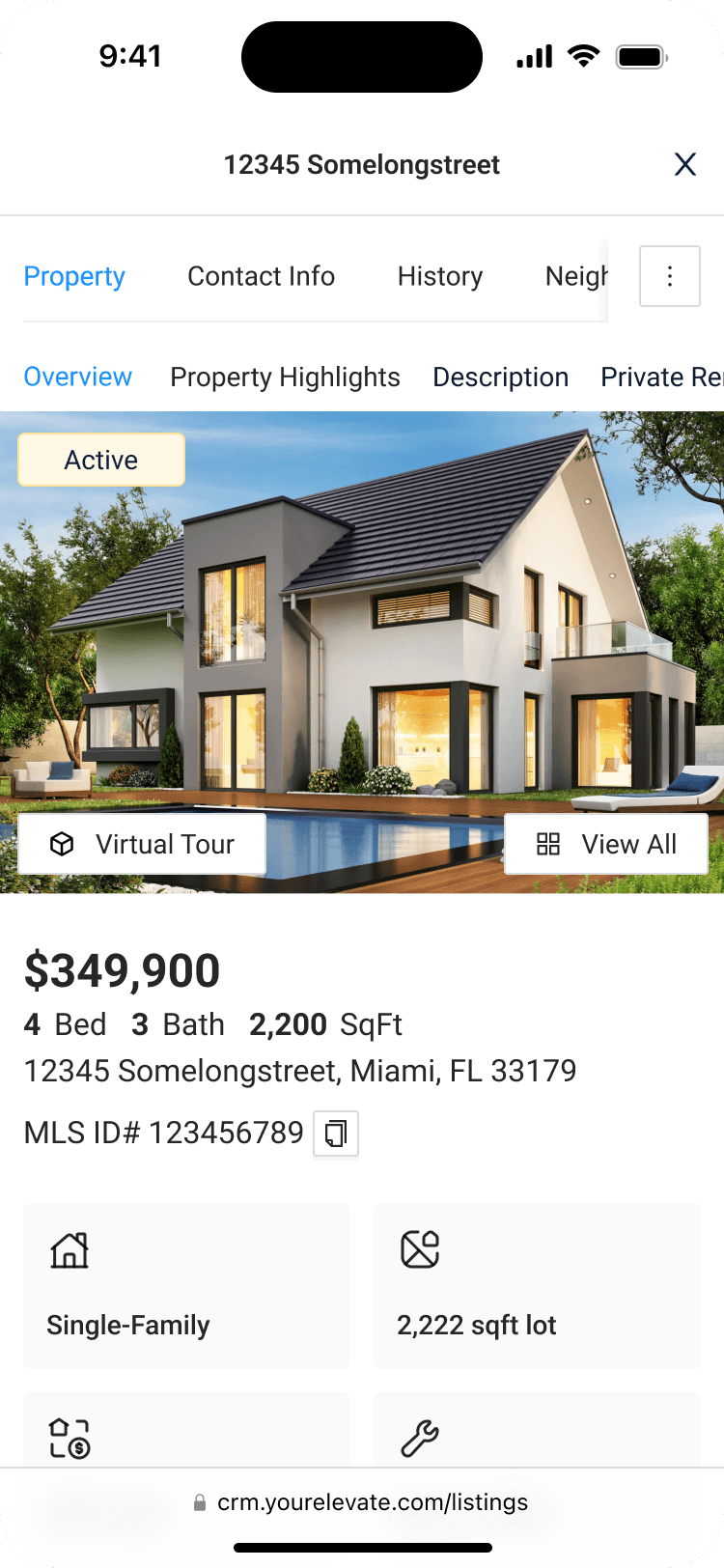
The listing drawer on a phone: 12345 Somelongstreet with horizontally scrolling Property, Contact Info, History and Neighborhood tabs, a second row of section links, the Active hero photo with Virtual Tour and View All buttons, and the price and property facts below.
Transactions — TMS

The deal was already won. It just landed in a product that looked like a different company built it.

What shipped

The refresh
This wasn't a rebuild. It was giving an aging interface a current UI, and one consistent shell for data coming from three different Elm Street products — Aiva's leads, Elevate's own listings, and TMS's transactions all read the same way now.
  • 3Elm Street products linked through one interface — Aiva, Elevate, TMS
  • 3States designed per KPI card: empty, populated, excellence
  • 1Side sheet shell reused for leads, listings and transactions
  • 1Component set and colour ramp behind all of it
What's next
OutboundEngine